Juwelenlabels zijn klein. De print moet exact zijn.
Juweelhangers zijn klein, gestanst en laten geen ruimte voor fouten. Gem Logic print ze met juwelenspecifieke labelmaterialen, 300 DPI-resolutie en een workflow eenvoudig genoeg voor de verkoopbalie. Volledig compatibel met alle Zebra-labelprinters, en onze aanbevolen configuratie is de Zebra ZD421 met transferprinting.
Vier dingen die een gewone labelprinter mis laat gaan.
Juweelhangers vereisen precisie waarmee algemene labelprinters moeite hebben. Deze vier punten zijn precies waarom wij 300 DPI met transferdruk aanbevelen voor de toonbank.
Stijl, metaal, edelsteendetails, SKU en prijs moeten allemaal leesbaar blijven op een hanger kleiner dan een visitekaartje.
Een juweelbarcode is compact en moet betrouwbaar scannen bij de kassa. Lage resolutie betekent mislukte scans, en een mislukte scan betekent een wachtende klant.
Op een gestanste hanger duwt zelfs lichte verschuiving inhoud in de uitsnede of buiten het bedrukbare gebied. Printer en materiaal moeten op elkaar afgestemd zijn.
Juweelhangers zijn smal en gestanst. Detectie moet consistent blijven met deze formaten, rol na rol, zonder opnieuw te leren.
Wanneer u begint met Gem Logic, stelt ons team uw printer in, configureert en kalibreert deze met precies het labelmateriaal dat u zult gebruiken. Als een nieuwe rol zich later anders gedraagt, zorgt de ondersteuning ervoor dat deze in een mum van tijd weer werkt.
Transfer printing: de beste keuze voor juwelen
Voor juwelen raden wij transfer printing (op basis van ribbon) aan. Het levert een scherper beeld en een duurzamer resultaat op de kleine formaten die u dagelijks print.
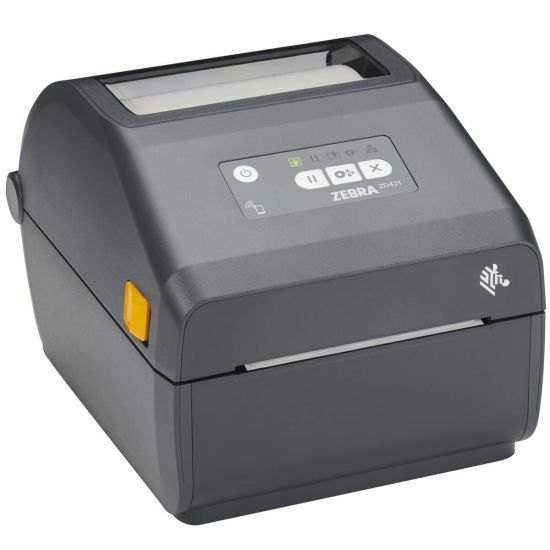
Zebra ZD421 (300 DPI) met transfer printing
Gem Logic-labels zijn volledig compatibel met de gehele Zebra-printerlijn, en wij ondersteunen ook andere grote printermerken. Voor juweellabels is de ZD421 op 300 DPI met transfer printing de opstelling die wij aanbevelen.
Elke juweellabelvorm, rechtstreeks verkocht door Gem Logic
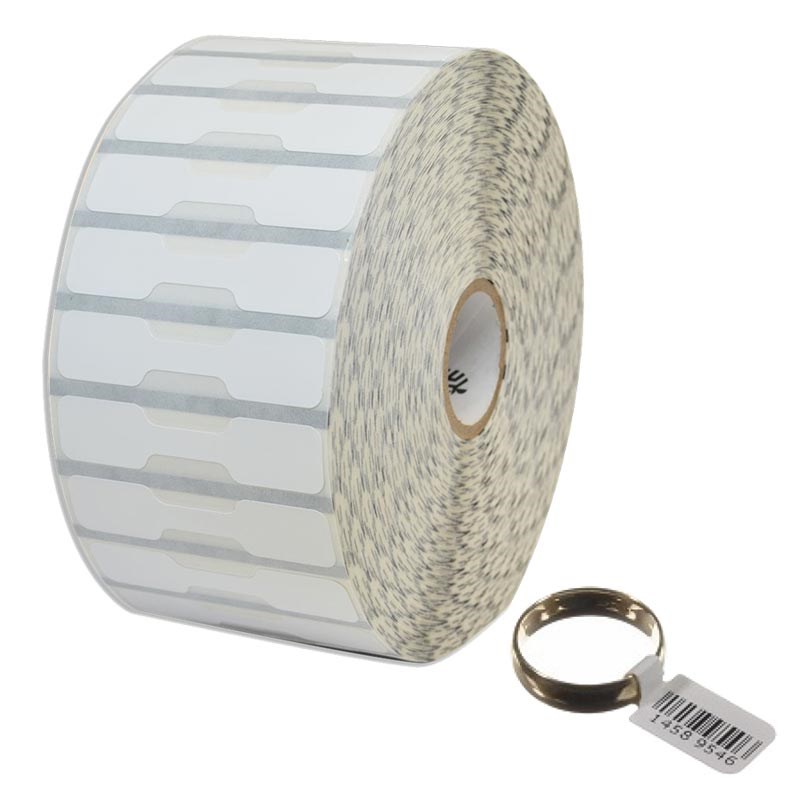
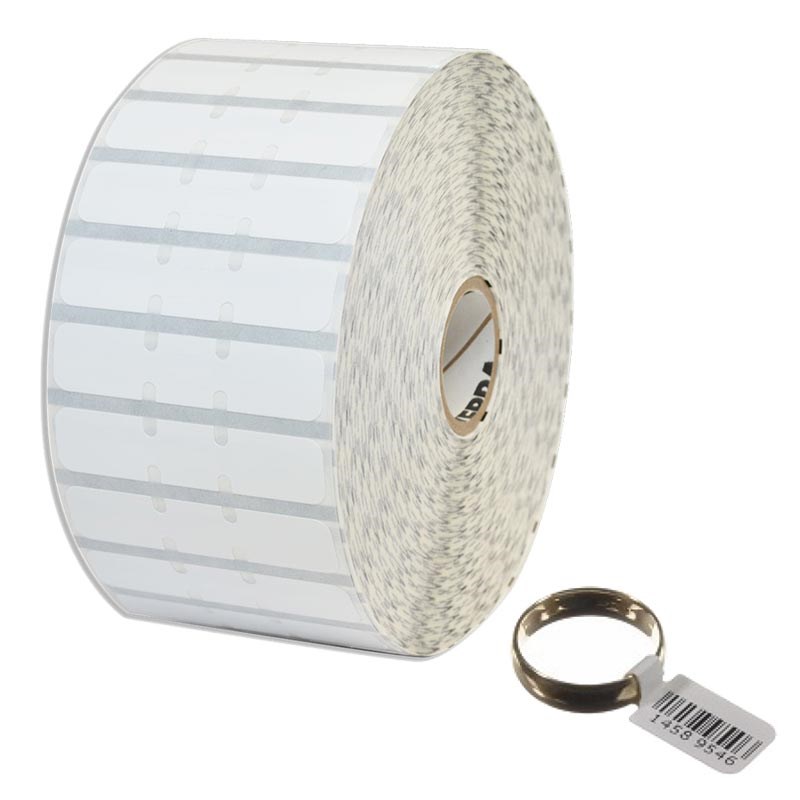
Wij verkopen juweellabels rechtstreeks, inclusief alle gangbare stijlen, zodat u het label kunt afstemmen op het artikel en uw displaybehoeften.
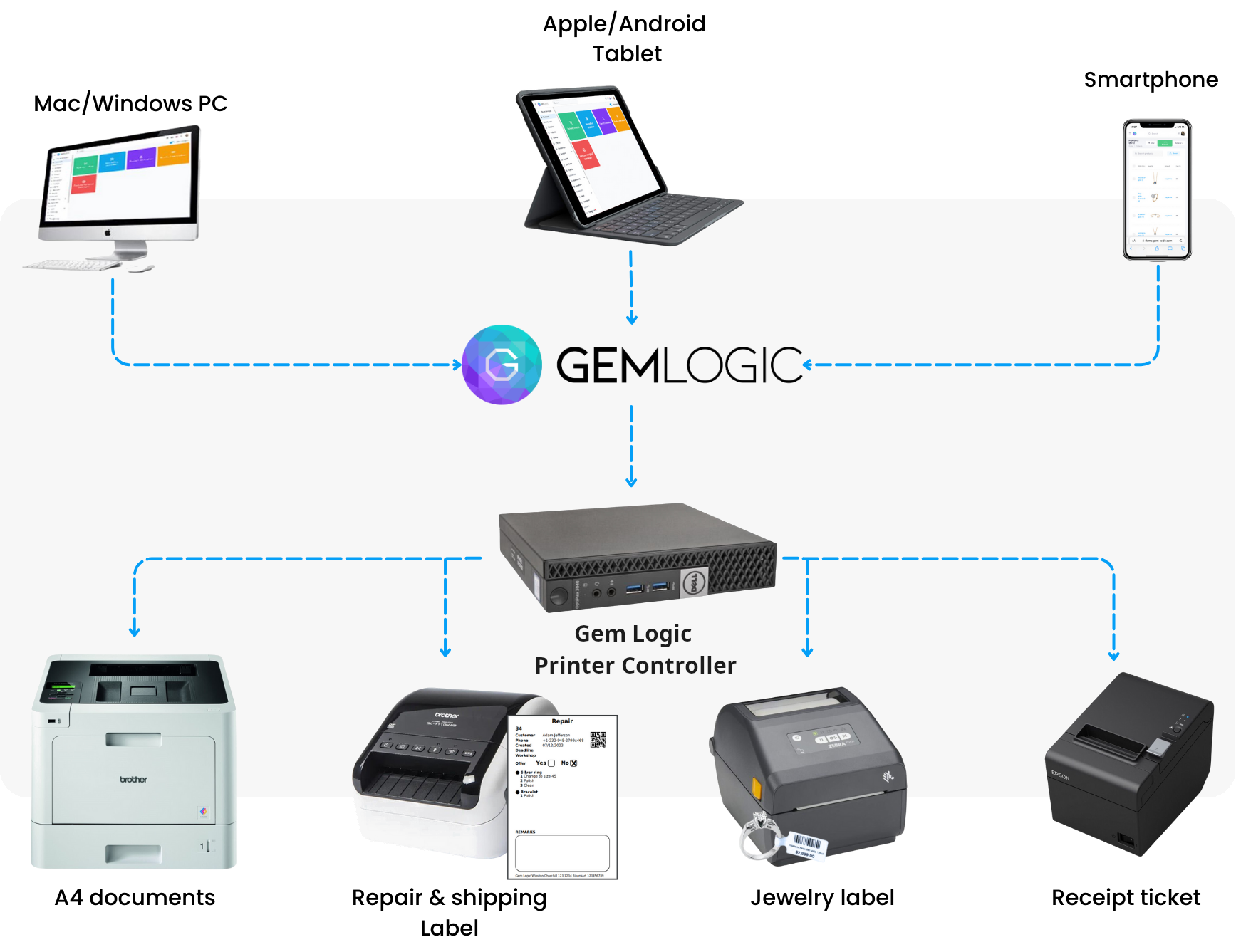
Afdrukken vanaf elk apparaat
Met Gem Logic en onze Printer Controller kunt u labels afdrukken vanaf een smartphone, tablet, Mac of Windows met één enkele klik. Hetzelfde labelformaat, dezelfde printerlogica, op elk apparaat.
Geen drivers te installeren, geen printdialogen waarmee u moet worstelen. U tikt gewoon op printen en het etiket komt eruit.
Wilt u zelf een label ontwerpen of testen? Gebruik onze gratis ZPL-labelontwerper en -validator.
Checklist voor perfecte sieradenlabels
Als u de best mogelijke resultaten wilt, zijn dit de essentiële punten.
Essentieel voor kleine letters en compacte barcodes op sieradenlabels.
Kalibreer de printer voor uw specifieke labelvorm en materiaal.
Gebruik het juiste transferlint dat past bij uw labelmateriaal.
Houd printkoppen schoon voor consistente scherpte in de loop van de tijd.
Controleer de barcodegrootte voor betrouwbaar scannen op kleine labels. Een mislukte scan aan de toonbank vertraagt alles.
Labels verbinden de hele winkel.
Vragen die juweliers ons stellen
Ja. Gem Logic-labels zijn compatibel met alle Zebra-labelprinters. Blader door de hardwarecatalogus om de printers en labelstocks te bekijken die wij verkopen en testen.
Juwelenlabels zijn klein. 300 DPI levert scherpere tekst en betere barcodescanbaarheid op, wat minder scanfouten en netter uitziende tags betekent.
Nee. Wij ondersteunen ook andere merken. Wij benadrukken Zebra omdat het meestal de meest betrouwbare keuze is voor workflows met juwelenlabels.
Ja. Met de Printer Controller van Gem Logic kunt u met één klik printen vanaf smartphones, tablets, Mac en Windows. Bekijk hoe het werkt op de pagina smart printing.
De juiste tag, op het juiste label, de eerste keer goed.
Boek een demo en wij laten u de volledige workflow zien met uw eigen labels: de printer, het materiaal, de sjabloon en printen met één klik vanaf elk apparaat. Of start een gratis proefperiode en print vandaag nog een testlabel.