Les étiquettes de bijouterie sont petites. L'impression doit être précise.
Les étiquettes de bijouterie sont petites, prédécoupées et ne laissent aucune place à l'erreur. Gem Logic les imprime avec des supports spécifiques à la bijouterie, une résolution de 300 DPI et un workflow assez simple pour le comptoir de vente. Entièrement compatible avec toutes les imprimantes Zebra, et notre configuration recommandée est la Zebra ZD421 avec impression par transfert thermique.
Quatre erreurs d'une imprimante d'étiquettes classique.
Les étiquettes de bijoux exigent une précision que l'impression d'étiquettes classique ne maîtrise pas. Ces quatre points expliquent exactement pourquoi nous recommandons 300 DPI avec transfert thermique pour le comptoir.
Le style, le métal, les détails de la pierre, le SKU et le prix doivent rester lisibles sur une étiquette plus petite qu'une carte de visite.
Un code-barres de bijou est compact et doit se scanner sans faille au comptoir. Une faible résolution signifie des échecs de scan, et un échec de scan, c'est un client qui attend.
Sur une étiquette prédécoupée, même un léger décalage pousse le contenu dans la découpe ou hors de la zone imprimable. Imprimante et support doivent être accordés.
Les étiquettes de bijoux sont étroites et prédécoupées. La détection doit rester cohérente avec ces formats, rouleau après rouleau, sans réapprentissage.
Lorsque vous démarrez avec Gem Logic, notre équipe installe, configure et calibre votre imprimante avec le support d'étiquettes exact que vous utiliserez. Si un nouveau rouleau se comporte différemment plus tard, l'assistance le remet en marche rapidement.
Impression par transfert thermique : le meilleur choix pour la bijouterie
Pour la bijouterie, nous recommandons l'impression par transfert thermique (avec ruban). Elle produit une image plus nette et un résultat plus durable sur les petits formats que vous imprimez au quotidien.
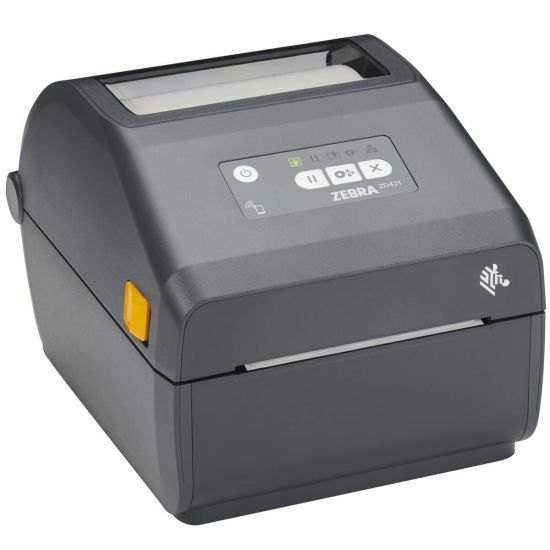
Zebra ZD421 (300 DPI) avec transfert thermique
Les étiquettes Gem Logic sont totalement compatibles avec toute la gamme d'imprimantes Zebra, et nous prenons également en charge d'autres grandes marques d'imprimantes. Pour les étiquettes de bijoux, la ZD421 à 300 DPI avec transfert thermique est la configuration que nous recommandons.
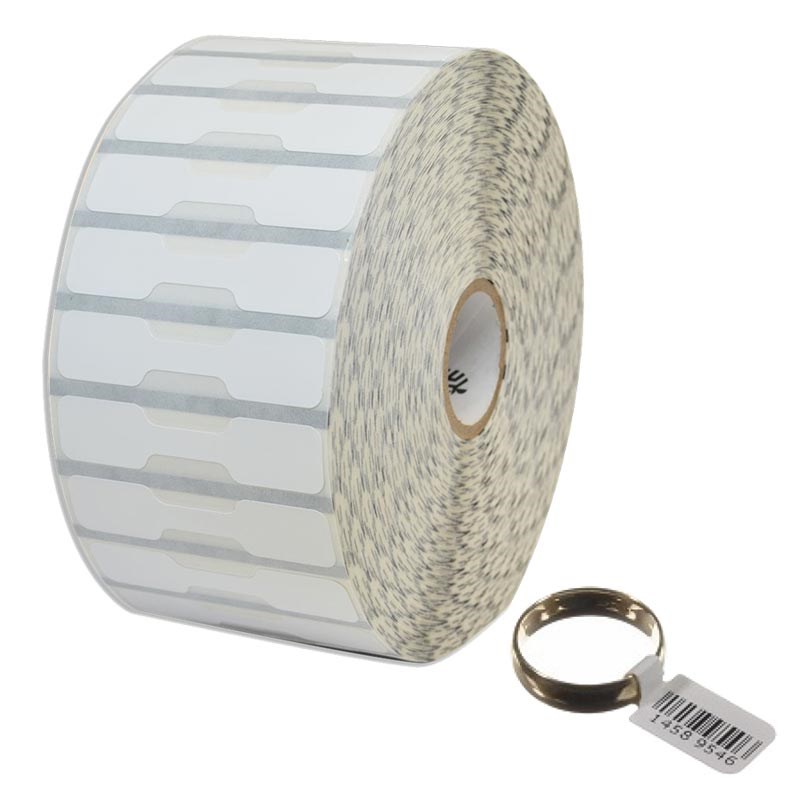
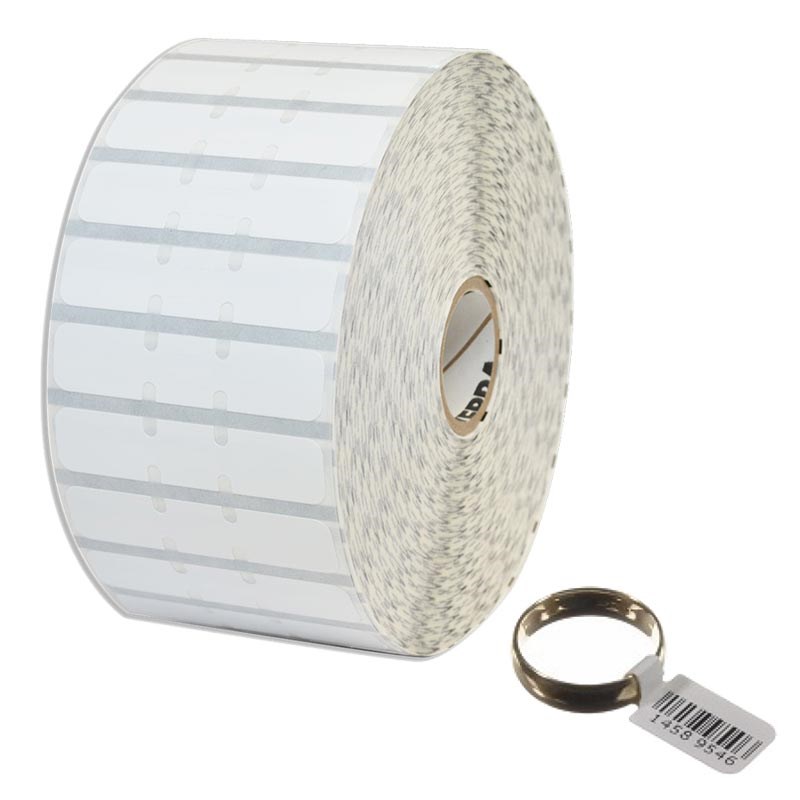
Toutes les formes d'étiquettes de bijoux, vendues directement par Gem Logic
Nous vendons directement des étiquettes de bijoux, y compris tous les styles courants, afin que vous puissiez adapter l'étiquette à l'article et à vos besoins d'affichage.
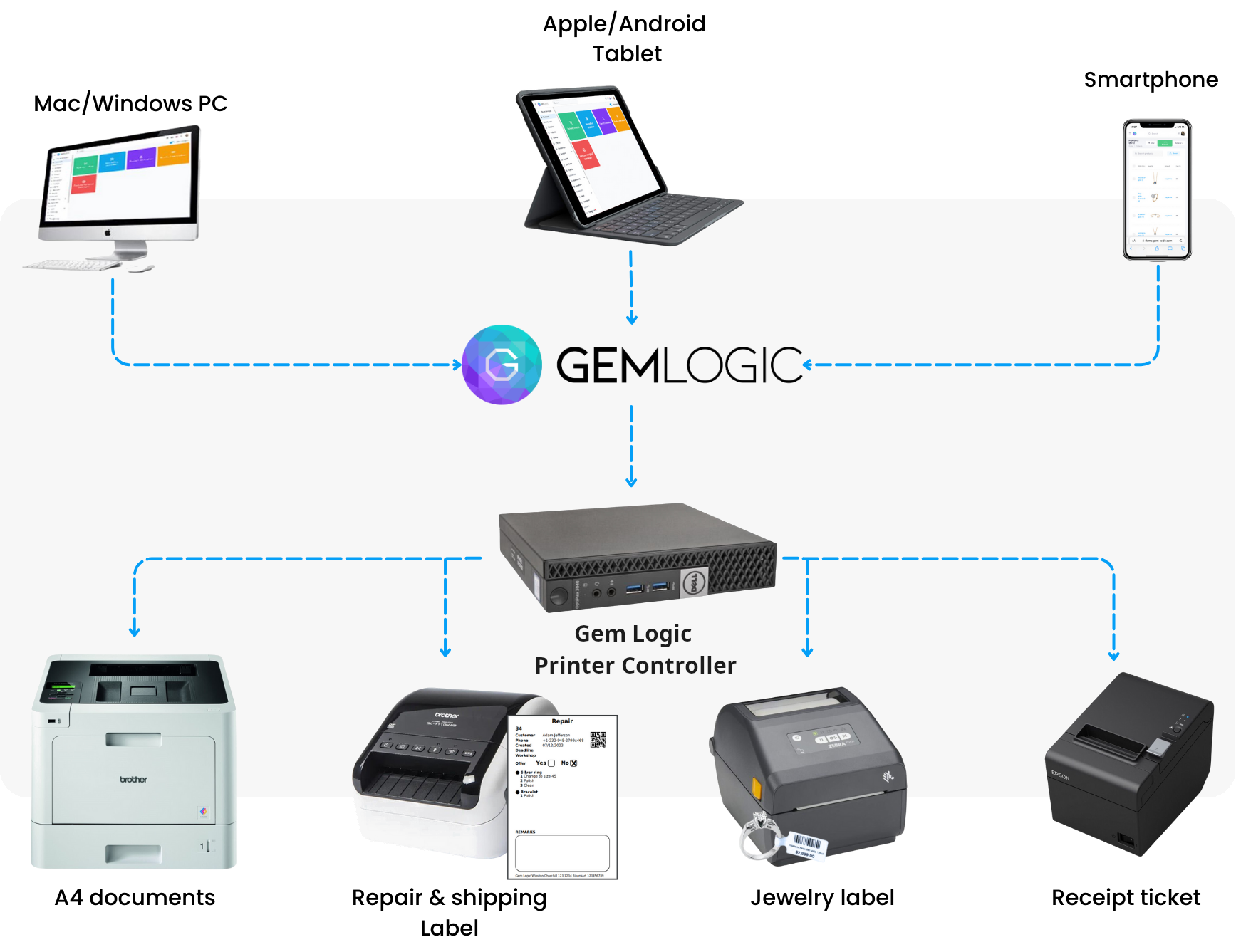
Imprimez depuis n'importe quel appareil
Avec Gem Logic et notre contrôleur d'imprimante, vous pouvez imprimer des étiquettes depuis un smartphone, une tablette, un Mac ou un PC Windows en un seul clic. Même format d'étiquette, même logique d'impression, sur tous vos appareils.
Aucun pilote à installer, aucune boîte de dialogue d'impression à gérer. Il vous suffit d'appuyer sur imprimer et l'étiquette sort.
Vous souhaitez concevoir ou tester une étiquette vous-même ? Utilisez notre concepteur et validateur d'étiquettes ZPL gratuit.
Liste de contrôle pour des étiquettes de bijoux parfaitement imprimées
Si vous souhaitez obtenir les meilleurs résultats possibles, voici les points essentiels.
Indispensable pour les petites polices et les codes-barres compacts sur les étiquettes de bijoux.
Calibrez l'imprimante pour la forme d'étiquette spécifique et le support que vous utilisez.
Utilisez le ruban transfert thermique approprié adapté au matériau de votre étiquette.
Maintenez vos têtes d'impression propres pour une netteté constante dans le temps.
Vérifiez la taille du code-barres pour garantir une lecture fiable sur les petites étiquettes. Un échec de lecture au comptoir ralentit toute l'opération.
Les étiquettes relient toute la boutique.
Questions que les bijoutiers nous posent
Oui. Les étiquettes Gem Logic sont compatibles avec toutes les imprimantes Zebra. Consultez le catalogue de matériel pour voir les imprimantes et les supports d'étiquettes que nous vendons et testons.
Les étiquettes de bijouterie sont petites. Le 300 DPI produit un texte plus net et une meilleure lisibilité des codes-barres, ce qui signifie moins d'échecs de lecture et des étiquettes plus propres.
Non. Nous prenons également en charge d'autres marques. Nous mettons en avant Zebra parce qu'il s'agit généralement du choix le plus fiable pour les flux de travail d'étiquetage de bijouterie.
Oui. Avec le Contrôleur d'imprimante de Gem Logic, vous pouvez imprimer depuis des smartphones, des tablettes, Mac et Windows en un clic. Découvrez comment cela fonctionne sur la page impression intelligente.
La bonne étiquette, sur le bon support, du premier coup.
Réservez une démonstration et nous vous montrerons tout le processus avec vos propres étiquettes : l'imprimante, le support, le modèle et l'impression en un clic depuis n'importe quel appareil. Ou lancez un essai gratuit et imprimez une étiquette de test dès aujourd'hui.