Las etiquetas para joyería son pequeñas. La impresión debe ser precisa.
Las etiquetas para joyería son pequeñas, troqueladas y no dejan margen de error. Gem Logic las imprime con materiales específicos para joyería, resolución de 300 PPP y un flujo de trabajo lo suficientemente sencillo para el mostrador de ventas. Totalmente compatible con todas las impresoras de etiquetas Zebra, y nuestra configuración recomendada es la Zebra ZD421 con impresión por transferencia.
Cuatro cosas que una impresora de etiquetas genérica hace mal.
Las etiquetas de joyería exigen una precisión que la impresión de etiquetas genérica no logra. Estos cuatro puntos explican exactamente por qué recomendamos 300 DPI con impresión por transferencia para el mostrador.
Estilo, metal, detalles de piedras, SKU y precio deben permanecer legibles en una etiqueta más pequeña que una tarjeta de visita.
Un código de barras de joyería es compacto y debe escanearse de forma fiable en el mostrador. Baja resolución significa escaneos fallidos, y un escaneo fallido es un cliente esperando.
En una etiqueta troquelada, incluso una ligera desviación empuja el contenido hacia el recorte o fuera del área imprimible. La impresora y el material deben estar emparejados.
Las etiquetas de joyería son estrechas y troqueladas. La detección debe mantenerse consistente con esos formatos, rollo tras rollo, sin necesidad de reconfiguración.
Cuando usted comienza con Gem Logic, nuestro equipo configura, ajusta y calibra su impresora con el material de etiquetas exacto que utilizará. Si más adelante un nuevo rollo se comporta de manera diferente, el soporte lo pone en marcha de nuevo en muy poco tiempo.
Impresión por transferencia: la mejor opción para joyería
Para joyería recomendamos la impresión por transferencia (con cinta). Produce una imagen más nítida y un resultado más duradero en los formatos pequeños que usted imprime a diario.
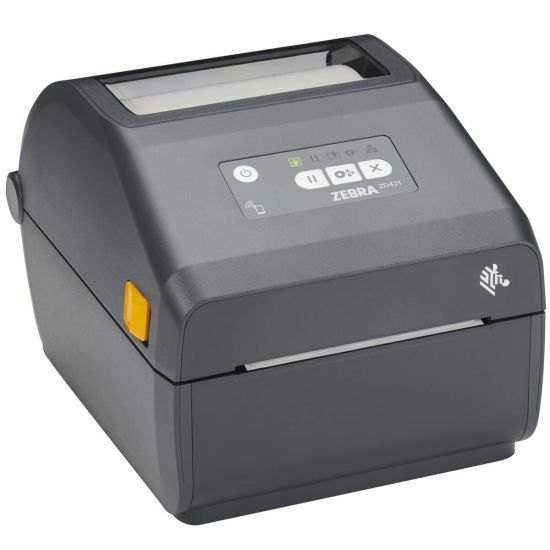
Zebra ZD421 (300 ppp) con impresión por transferencia
Las etiquetas de Gem Logic son totalmente compatibles con toda la línea de impresoras Zebra, y también ofrecemos soporte para otras marcas importantes. Para etiquetas de joyería, la ZD421 de 300 ppp con impresión por transferencia es la configuración que recomendamos.
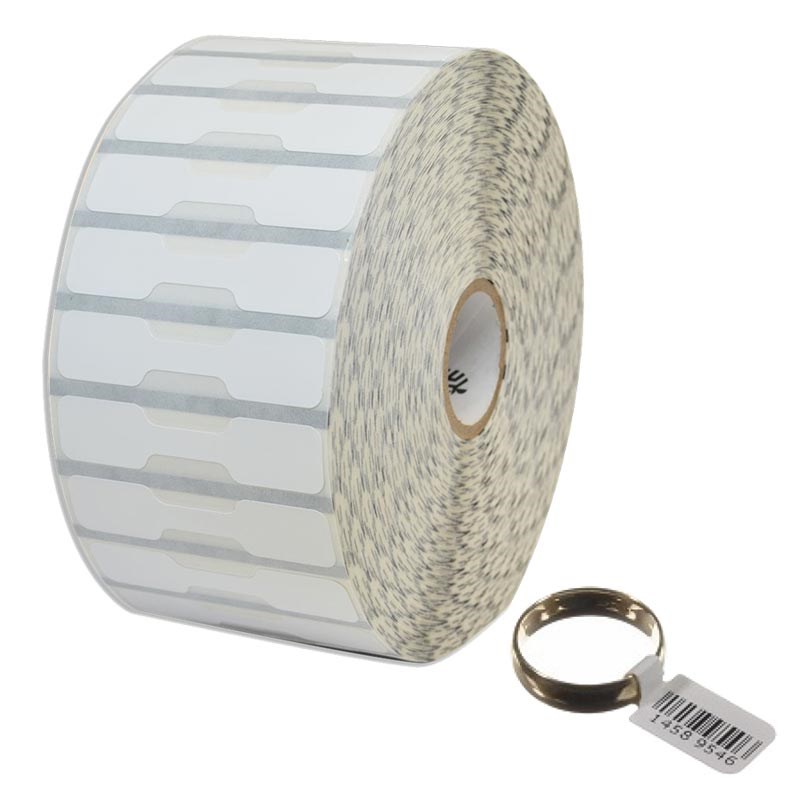
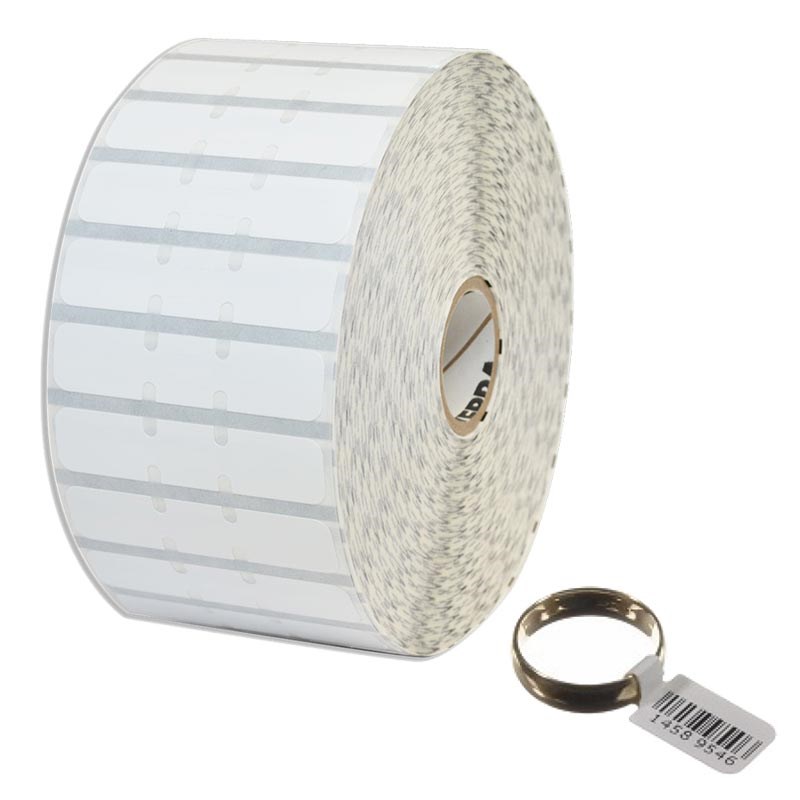
Todas las formas de etiquetas para joyería, vendidas directamente por Gem Logic
Vendemos etiquetas para joyería directamente, incluyendo todos los estilos comunes, para que usted pueda adaptar la etiqueta al artículo y a sus necesidades de exhibición.
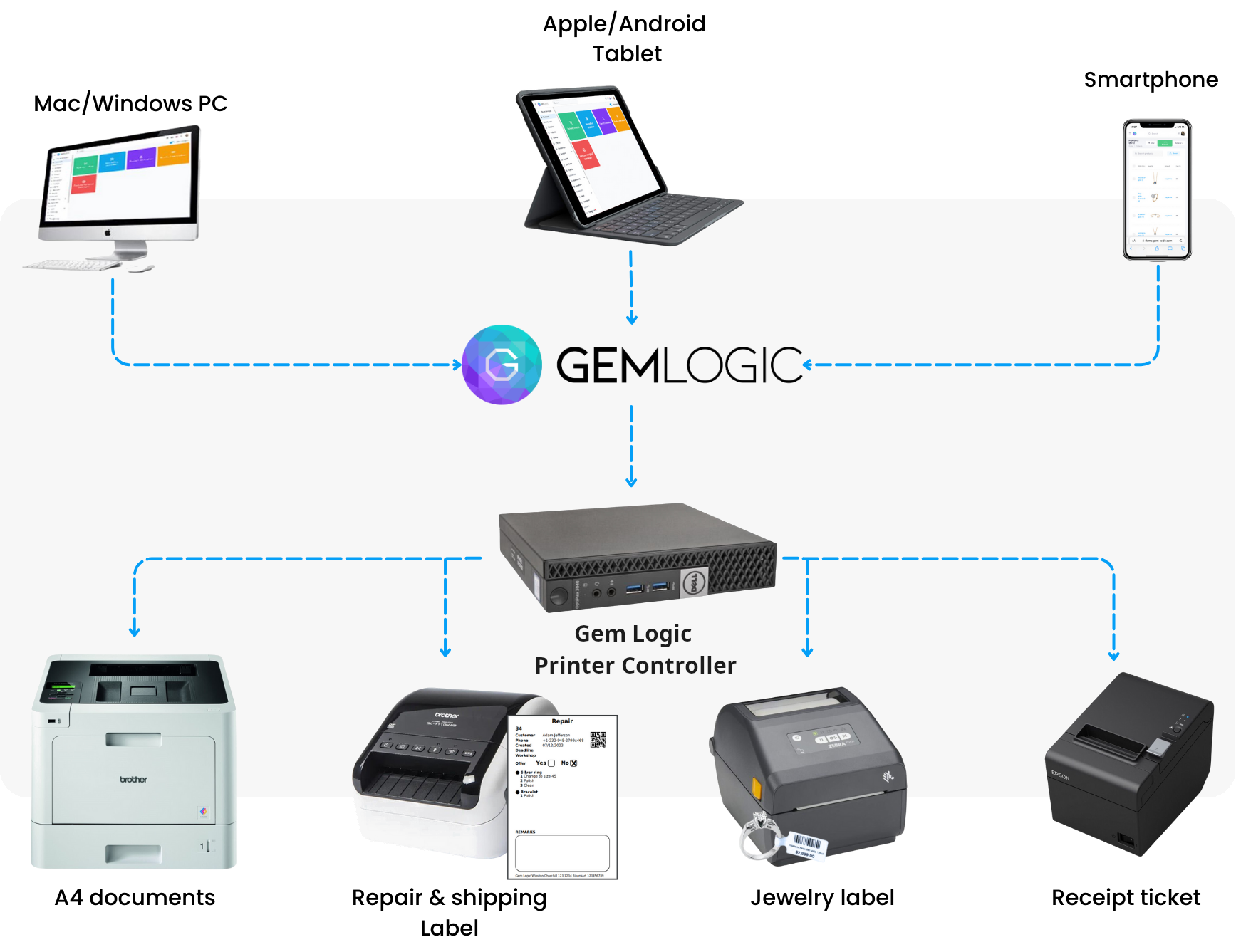
Imprima desde cualquier dispositivo
Con Gem Logic y nuestro Controlador de Impresora, usted puede imprimir etiquetas desde un smartphone, tablet, Mac o Windows con un solo clic. Mismo formato de etiqueta, misma lógica de impresión, en todos sus dispositivos.
Sin controladores que instalar, sin cuadros de diálogo de impresión con los que lidiar. Simplemente toque imprimir y la etiqueta sale.
¿Desea diseñar o probar una etiqueta usted mismo? Use nuestro diseñador y validador de etiquetas ZPL gratuito.
Lista de verificación para impresiones perfectas de etiquetas de joyería
Si desea obtener los mejores resultados posibles, estos son los elementos esenciales.
Esencial para fuentes pequeñas y códigos de barras compactos en etiquetas de joyería.
Calibre la impresora para su formato específico de etiqueta y material.
Use la cinta de transferencia correcta compatible con su material de etiqueta.
Mantenga los cabezales de impresión limpios para una nitidez constante a lo largo del tiempo.
Confirme el tamaño del código de barras para un escaneo fiable en etiquetas pequeñas. Un escaneo fallido en el mostrador ralentiza todo.
Las etiquetas conectan toda la tienda.
Preguntas que nos hacen los joyeros
Sí. Las etiquetas de Gem Logic son compatibles con todas las impresoras de etiquetas Zebra. Consulte el catálogo de hardware para ver las impresoras y los rollos de etiquetas que vendemos y probamos.
Las etiquetas de joyería son pequeñas. 300 DPI produce texto más nítido y mejor legibilidad del código de barras, lo que significa menos errores de escaneo y etiquetas de aspecto más limpio.
No. También admitimos otras marcas. Destacamos Zebra porque suele ser la opción más fiable para los flujos de trabajo de etiquetas de joyería.
Sí. Con el Printer Controller de Gem Logic puede imprimir desde smartphones, tablets, Mac y Windows con un solo clic. Vea cómo funciona en la página de impresión inteligente.
La etiqueta correcta, en el formato correcto, a la primera.
Reserve una demostración y le mostraremos todo el proceso con sus propias etiquetas: la impresora, el material, la plantilla y la impresión con un clic desde cualquier dispositivo. O inicie una prueba gratuita e imprima una etiqueta de prueba hoy mismo.