Switching systems? Your data comes with you.
Old desktop software, a stack of spreadsheets, or another provider: send us your export and we map every product, contact and repair into the right place. You pick up exactly where you left off.
Three steps, and most of the work is ours.
We've done this hundreds of times and know exactly what a jewelry export looks like, including the messy ones.
Pull your products, contacts and history out of your current system as Excel or CSV. Your provider is required to give you access to it.
Our team matches every column to the right Gem Logic field, cleans up duplicates and runs the import. Prefer to drive? The import module is built in.
We walk your stock, contacts and history with you on a call, train your team, and you start selling on the new system.
The three things you can't leave behind.
Get these across and your shop keeps running without a gap. Anything beyond them, we'll look at case by case.
Full inventory with descriptions, pricing, materials, weights, stones and every field you've been tracking.
Your customers and suppliers with addresses, contact details and the notes and preferences you've built up.
Past transactions and repair records, so a customer's history is on screen the moment they walk back in.
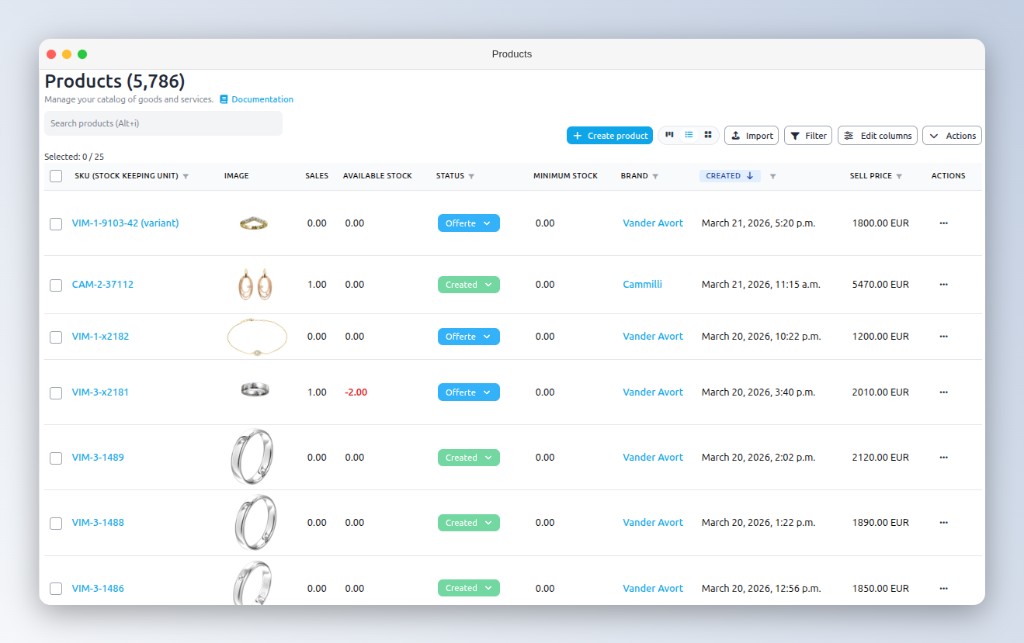
Your data belongs to you, not to your old provider.
Your current software provider is obliged to give you access to your data. They must either hand you a direct export or offer a straightforward way to extract it. Being told "that's not possible" is not an answer.
If you're hitting a wall, get in touch. We've been through this with jewelers switching off a dozen different systems and can tell you exactly what to ask for.
Hand it to us, or do it at your own pace.
Same import engine either way. The only question is who sits at the keyboard.
Send the export files and our team takes it from there: mapping, cleanup, import, and a verification pass with you.
The import module is part of Gem Logic. Upload a file, match the columns, import, as many passes as you like.
What jewelers ask us before switching.
Most migrations finish within a few days. Once your export files land with us, the import itself is usually under a day, the rest is verifying the data together and training your team.
Excel (.xlsx, .xls) and CSV, what nearly every system exports to. If yours only produces something exotic, send us a sample and we'll work out a route.
They're legally obliged to provide your data or an easy way to export it. If you're being stonewalled, reach out. We've navigated this before and know what to ask for.
Bring your shop over this month.
Send us an export and we'll tell you exactly what will come across, before you commit to anything.