You're holding a client's engagement ring for two weeks.
It's irreplaceable, it's insured for less than it means, and right now it's in a bag in your workshop. Every repair is a custody problem before it's a pricing one, so Gem Logic tracks the piece, not just the invoice.
Resize 54 → 52, retip two claws, rhodium finish
"That scratch wasn't there when I brought it in."
It happens a handful of times a year, and it is almost never anyone lying. The client genuinely doesn't remember the mark. You genuinely didn't cause it. And without a record, the only way out is to eat the cost and hope the client comes back.
A photographed intake ends that conversation in about fifteen seconds, kindly, with the piece on the screen between you.
The same record settles the smaller ones too: what you quoted, when the client approved it, what date you promised, and which goldsmith had it on the Tuesday.
Shot on the iPad at the counter, in front of the client, timestamped to the minute of intake.
The estimate the client agreed to and the moment they agreed, so a $145 job doesn't become a $90 argument.
Counter to workshop to subcontractor and back. Including the week it spent at the setter's.
Attach the after photo to the pickup email. Half of your clients will forward it to somebody.
None of this is extra work at intake, it's the intake screen. The record exists because taking the repair in produced it.
Drop-off to pickup, without a paper bag anywhere.
Six steps. Two of them happen without anyone doing anything, which is the point.
Pick the customer, describe the work, set the date you're promising and the price you're estimating. One screen, at the counter, while the client watches.
Before photos from the tablet camera. Print the barcode label, seal the bag, note the shelf. The piece now has an address.
SMS and email go out on their own, with the work described and the date you promised in writing.
Move it along as it progresses, in-house or out at a subcontractor. The board shows where everything is without anyone being asked.
Mark it done and the message goes the same minute, with the after photo, if you want them to see the work before they arrive.
Scan the bag to pull up the repair, take the payment, hand it over. Whoever is on the counter can do it, including the person who never met them.
Forty repairs, and you can see all forty.
A jeweler with a busy bench is usually carrying the whole workload in their head, which works right up until the week it doesn't. Drag pieces between stages, filter by goldsmith, and let the board flag what's slipping.
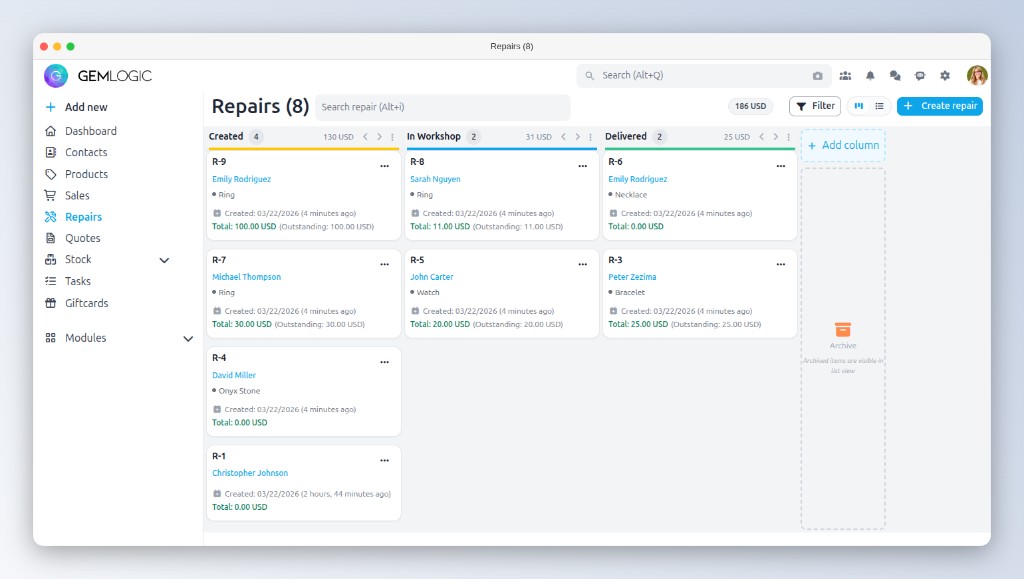
Anything past the date you promised is flagged, so you find out before the client does.
Filter to one bench and see what's actually queued behind it before you promise a Friday.
Assign to an external workshop and it stays on the board while it's away, not off the books.
Columns for the morning stand-up, a list when you need to sort by date or customer.
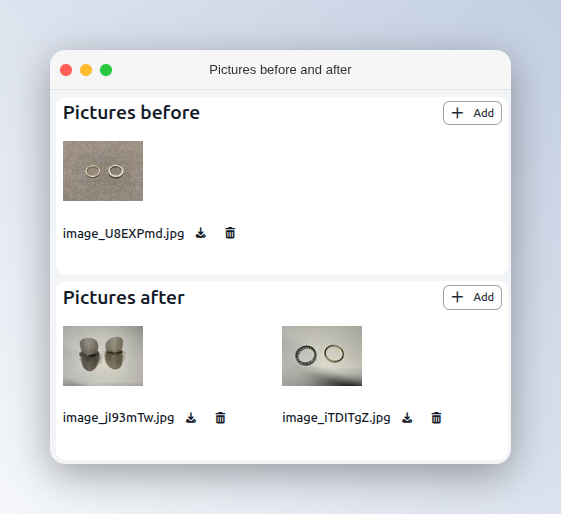
Two photos, thirty seconds of the day's work.
One when it arrives, one when it's finished. The first is insurance. The second is marketing: a retipped, rhodium-bright ring beside what came in is the most persuasive thing you'll send anyone all month.
"Is my ring ready yet?"
Every one of those calls pulls someone off the bench or away from a client at the counter, and every one of them is a person who was worried enough to phone a jeweler. Both problems have the same fix.
Three moments are available, received, in progress and ready, and you decide which ones send, in what wording, in which language, with or without photos. A shop that texts like a garage loses more than it saves.
A client who knows the date and has it in writing doesn't phone on day four. The calls you keep are the ones worth having, and they'll be about the next piece, not this one.
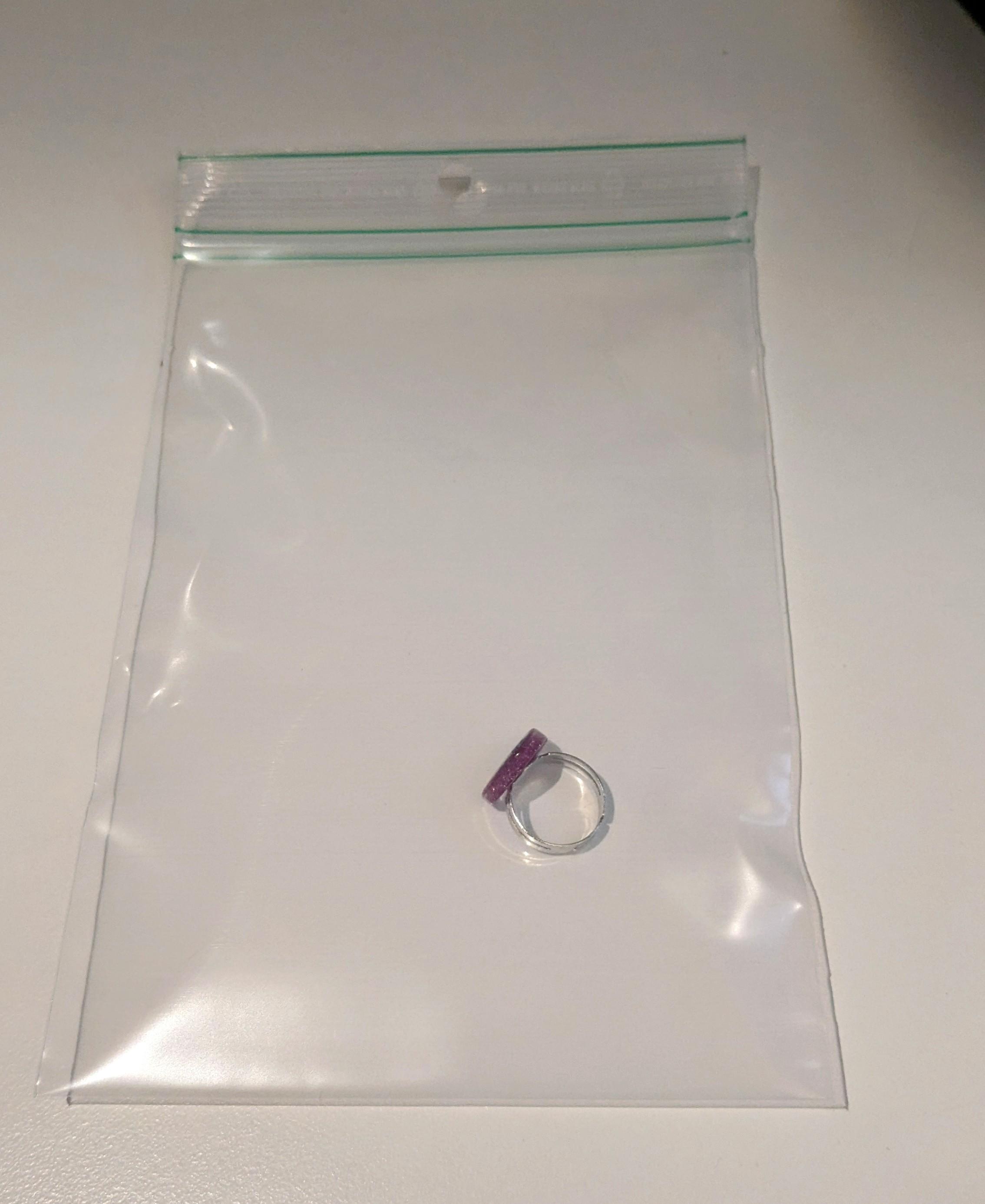
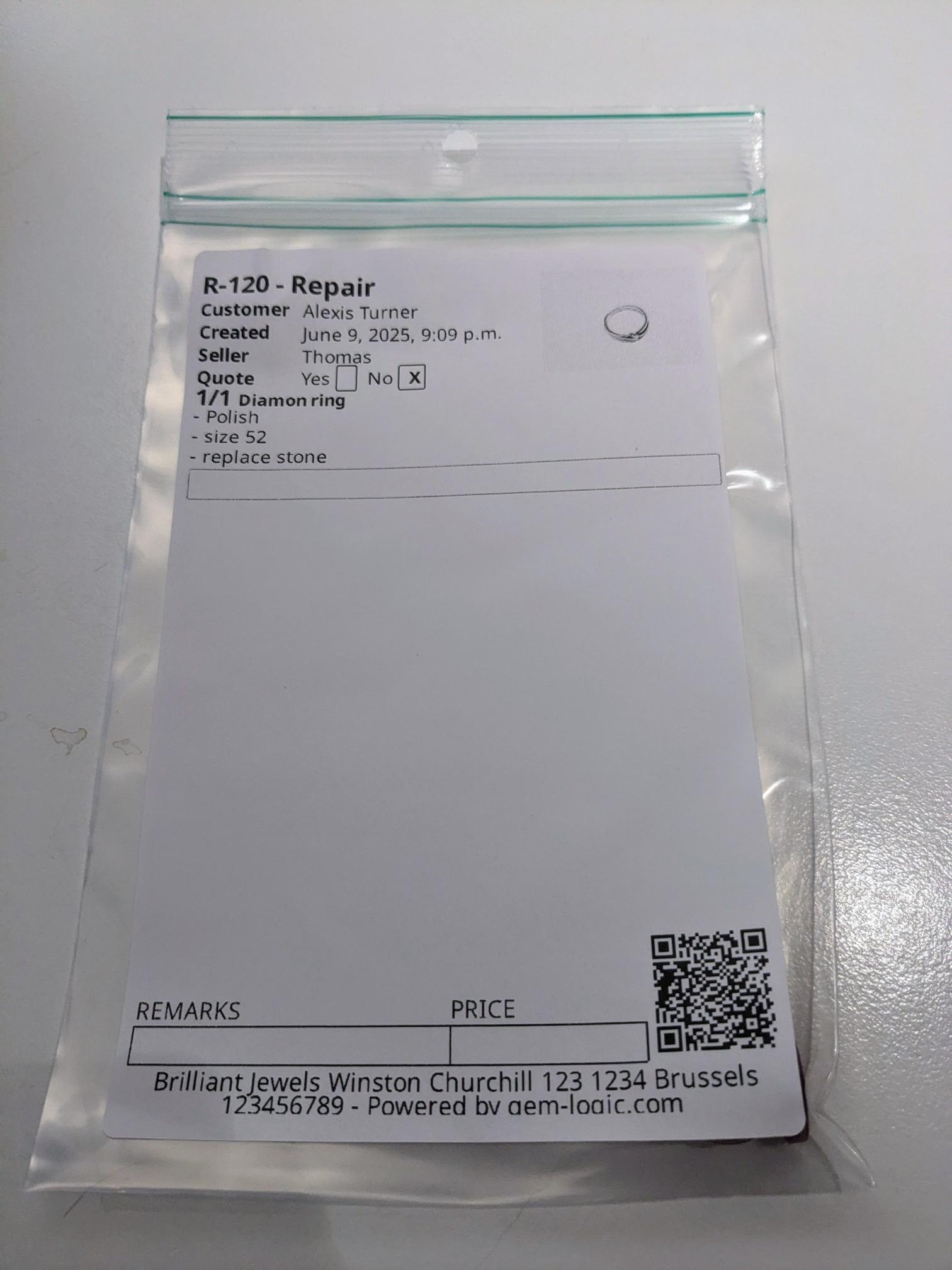
See how automations are triggered →A sealed bag with a barcode beats good handwriting.
Handwritten paper envelopes fail in a specific way: they're fine until the person who wrote one is off sick. A printed label is legible to everyone, scannable at pickup, and tells you which shelf the piece is on.
You can't price a repair until you've opened it up.
So don't pretend otherwise. Quote a range at intake, confirm the real figure once the bench has looked, and get it approved in writing before anyone touches it. Then let the client pay from the message you already sent.
Send the estimate, wait for the yes, convert it to a confirmed repair in one click. The approval is stamped with the time it arrived, which is the whole reason to do it this way.
Every notification carries a personal link to the repair. The client opens it on their phone, sees the status and the balance, and pays by card. No account, no password, no app.
Before you move your repairs across.
Do clients get notified automatically about their repair?
Can I send a price estimate and get approval before starting?
Can clients pay for their repair online?
Can I send repairs to an external workshop or subcontractor?
A repair touches four other parts of the system.
Bring the repair you're most worried about losing.
We'll take it in on a demo, photos, label, promised date, the message that goes out, and you can see the whole record it leaves behind.