Jewelry labels are small. The printing has to be precise.
Jewelry tags are small, die-cut and leave no room for error. Gem Logic prints them with jewelry-specific label materials, 300 DPI resolution and a workflow simple enough for the sales counter. Fully compatible with all Zebra label printers, and our recommended setup is the Zebra ZD421 with transfer printing.
Four things a general label printer gets wrong.
Jewelry tags demand precision that general label printing struggles with. These four points are exactly why we recommend 300 DPI with transfer printing for the counter.
Style, metal, stone details, SKU and price all have to stay readable on a tag smaller than a business card.
A jewelry barcode is compact and has to scan reliably at the counter. Low resolution means failed scans, and a failed scan is a customer waiting.
On a die-cut tag, even slight drift pushes content into the cutout or off the printable area. Printer and media have to be matched.
Jewelry labels are narrow and die-cut. Sensing has to stay consistent with those formats, roll after roll, without re-teaching.
When you start with Gem Logic, our team sets up, configures and calibrates your printer with the exact label stock you will use. If a new roll behaves differently later, support gets it running again in no time.
Transfer printing: the best choice for jewelry
For jewelry we recommend transfer printing (ribbon-based). It produces a sharper image and a more durable result on the small formats you print all day.
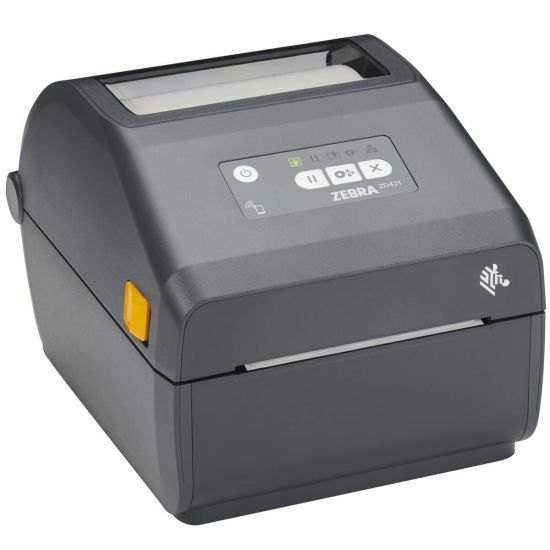

Zebra ZD421 (300 DPI) with transfer printing
Gem Logic labels are fully compatible with the entire Zebra printer line, and we also support other major printer brands. For jewelry tags, the ZD421 at 300 DPI with transfer printing is the setup we recommend.
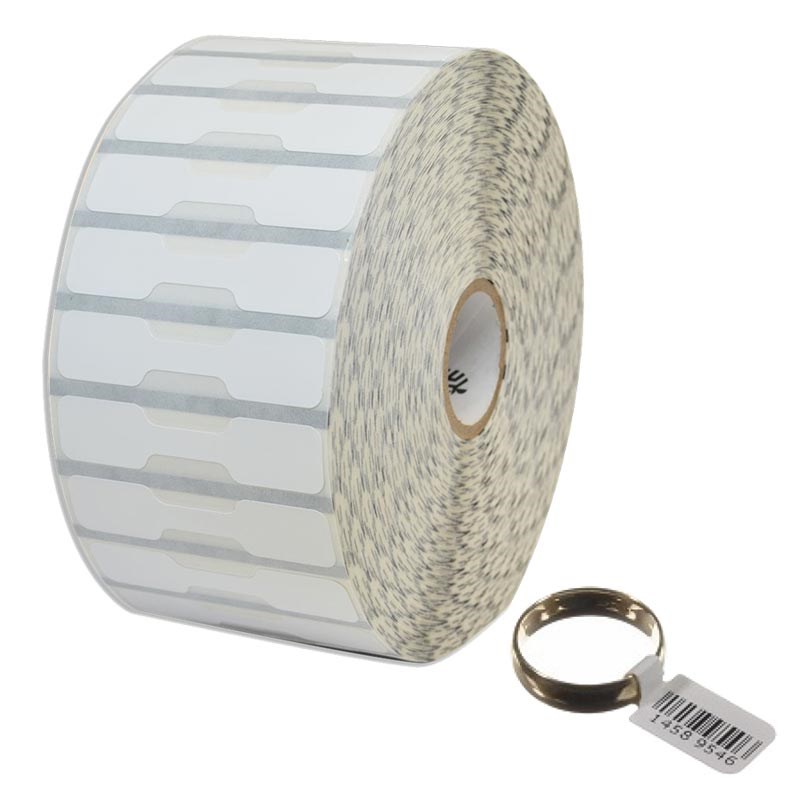
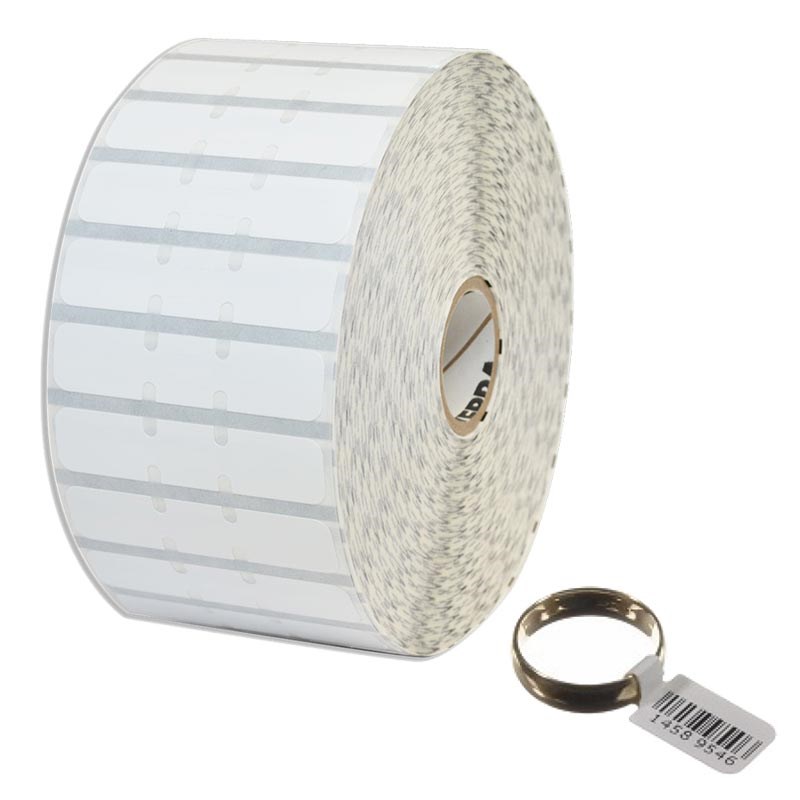
Every jewelry label shape, sold directly by Gem Logic
We sell jewelry labels directly, including all common styles, so you can match the label to the item and your display needs.
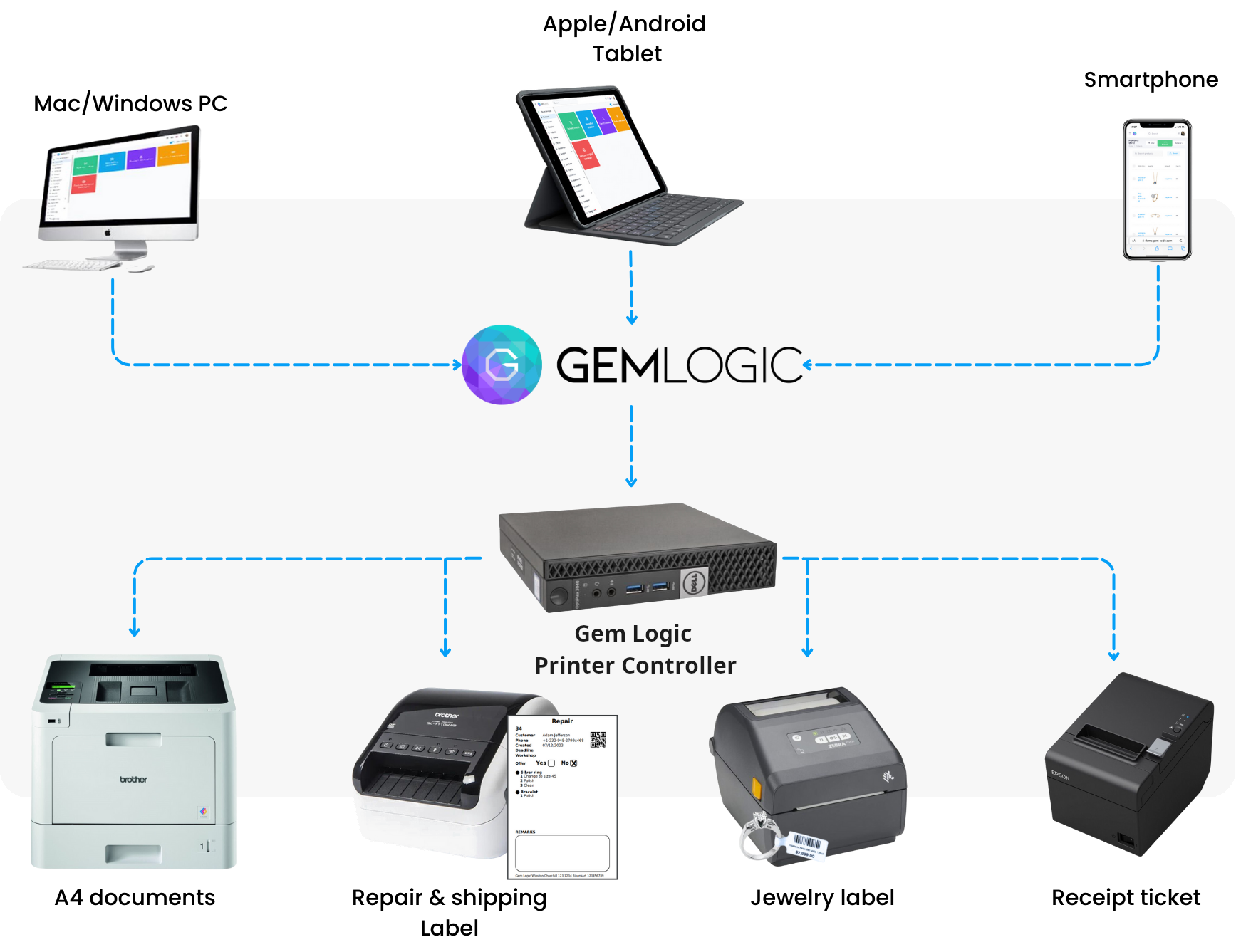
Print from any device
With Gem Logic and our Printer Controller, you can print labels from a smartphone, tablet, Mac or Windows with a single click. Same label format, same printer logic, across every device.
No drivers to install, no print dialogs to fight with. Just tap print and the label comes out.
Want to design or test a label yourself? Use our free ZPL label designer and validator.
Checklist for perfect jewelry label prints
If you want the best possible results, these are the essentials.
Essential for small fonts and compact barcodes on jewelry tags.
Calibrate the printer for your specific label shape and stock.
Use the correct transfer ribbon matched to your label material.
Keep printheads clean for consistent sharpness over time.
Confirm barcode sizing for reliable scanning on small tags. A failed scan at the counter slows everything down.
Questions jewelers ask us
Yes. Gem Logic labels are compatible with all Zebra label printers. Browse the hardware catalog to see the printers and label stocks we sell and test.
Jewelry labels are small. 300 DPI produces sharper text and better barcode readability, which means fewer scan failures and cleaner-looking tags.
No. We support other brands as well. We highlight Zebra because it is commonly the most reliable choice for jewelry label workflows.
Yes. With Gem Logic's Printer Controller you can print from smartphones, tablets, Mac and Windows in one click. See how it works on the smart printing page.
The right tag, on the right label, first time.
Book a demo and we will show you the whole flow with your own labels: the printer, the media, the template and one-click printing from any device. Or start a free trial and print a test label today.