She'll be back in three years. Will anyone remember her size?
A jewelry client spends four thousand dollars and then life goes quiet. When she walks back in, the sale depends on what somebody wrote down: her ring size, her partner's name, the anniversary in March. A jewelry CRM is the memory of the shop, kept in fields, not in a notes box.
Married 14 March 2015. Marc bought both previous gifts. He'll ask you what size she is.
Four chances per client per decade, and every one has a date.
A café sees its regulars every day and can afford to forget things. You see yours when something happens in their life: an engagement, a fortieth, an anniversary that ends in a zero. The difference between a jeweler who sells four times and one who sells twice isn't charm. It's whether the dates were written down.
Marriage date, birth date, partner's name, preferred language. Generic CRMs have none of these fields, so jewelers put them in a notes box and never find them again.
Bought earrings twice. Wrist 16 cm, never a bracelet.
Ring size 52 on file. Marc bought the last two.
Engagement quote last spring, never answered. Worth one call.
Neck 42 cm on file. Has only ever bought rings.
This list assembles itself from fields your staff filled in at the counter. It is the cheapest marketing you will ever do.
A birthday or an anniversary can also fire an automation on the day itself, so the message goes out whether or not anyone opened the dashboard.
A generic CRM has no idea what a ring size is.
It has a company field, a deal stage and a lead score. What it doesn't have is ten fingers, a wrist, a neck, and a husband who wants to buy a surprise without anyone emailing his wife.
Ten ring sizes, left and right, because she wears a 52 on her left ring finger and a 54 on her right, and the sale depends on which one you're making.
Wrist and neck, the two measurements that turn "I'd like a bracelet" into an order instead of a fitting appointment.
Partner details: a name, a phone and an email for the person who does the buying. Surprise gifts are most of your December.
Marriage and birth dates, the fields the list above runs on. Ask once, at the counter, while taking the address.
Language preference, so every quote, repair update and pickup message goes out in theirs, not yours.
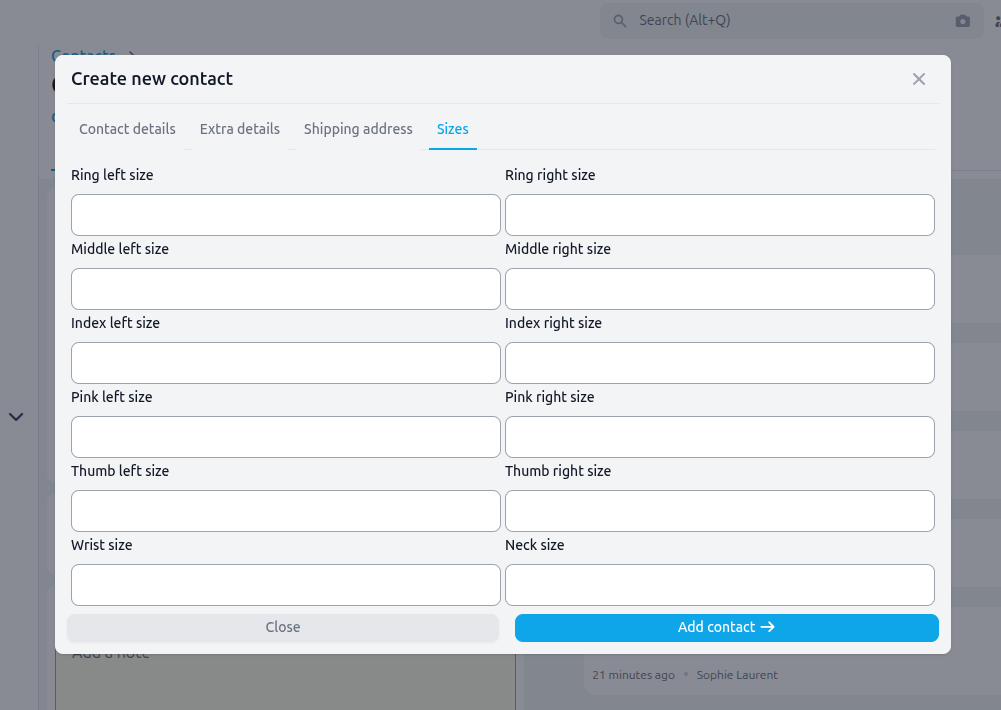
"I bought a ring here, maybe four years ago?"
That sentence is either thirty seconds or twenty minutes, depending on where the record lives. Everything a client has ever done with you sits on their profile, because it was filed there as it happened.
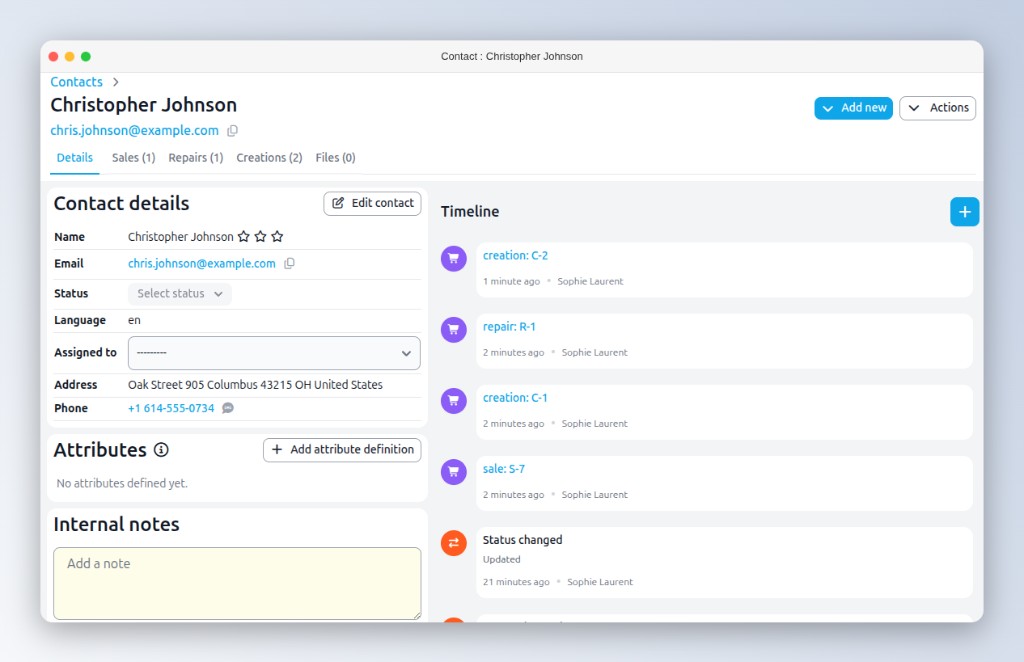
Every sale, quote and custom order: what they bought, when, for how much.
Open and closed repair tickets, with the before and after photos still attached.
All documents and transactions on the same page, with no second system to search.
Sent conversations, internal notes and attached files, on one timeline your team can read.
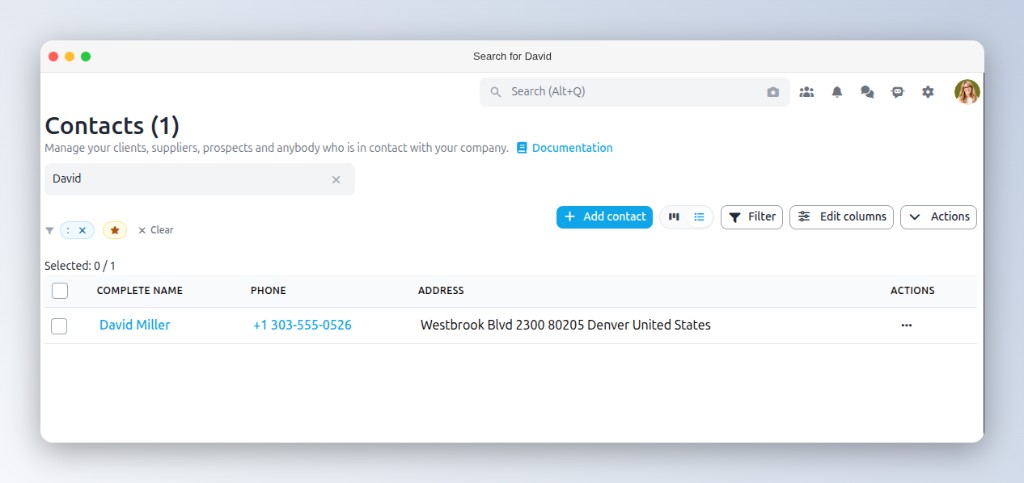
Open the profile before they finish saying their name.
Search by name, phone, email, address or client number. The phone rings, you type four letters, and you're already looking at what they own and what you last did for them.
Suppliers, workshops and prospects live in the same list with the same search, so a subcontractor's tax number is as findable as a client's phone number.
Nobody should type a name twice.
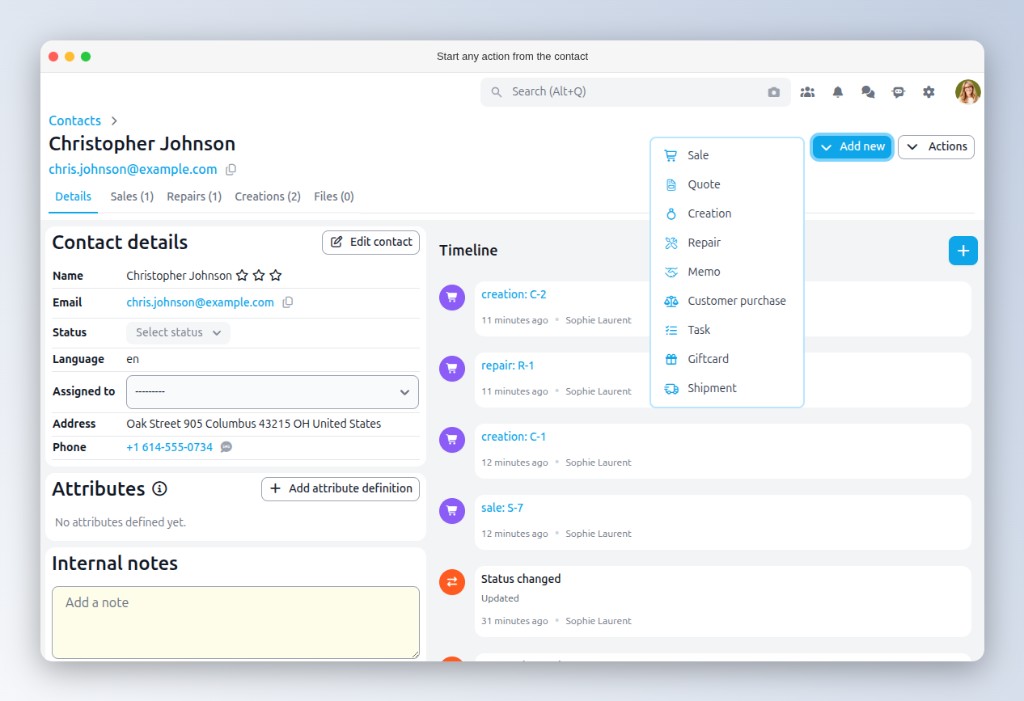
Start a sale, a quote, a repair, a task or an appointment straight from the profile and the client is already filled in. The point isn't the saved keystrokes: the new record attaches to the old ones, so the history stays whole.
Every phone number carries call, SMS and WhatsApp buttons, on the profile, in the list and on the order. No copying numbers between apps.
Send from the profile and the whole thread is saved on the timeline, so whoever picks it up next week can read what was already promised.
More on branded email →Your spreadsheet is not a reason to wait.
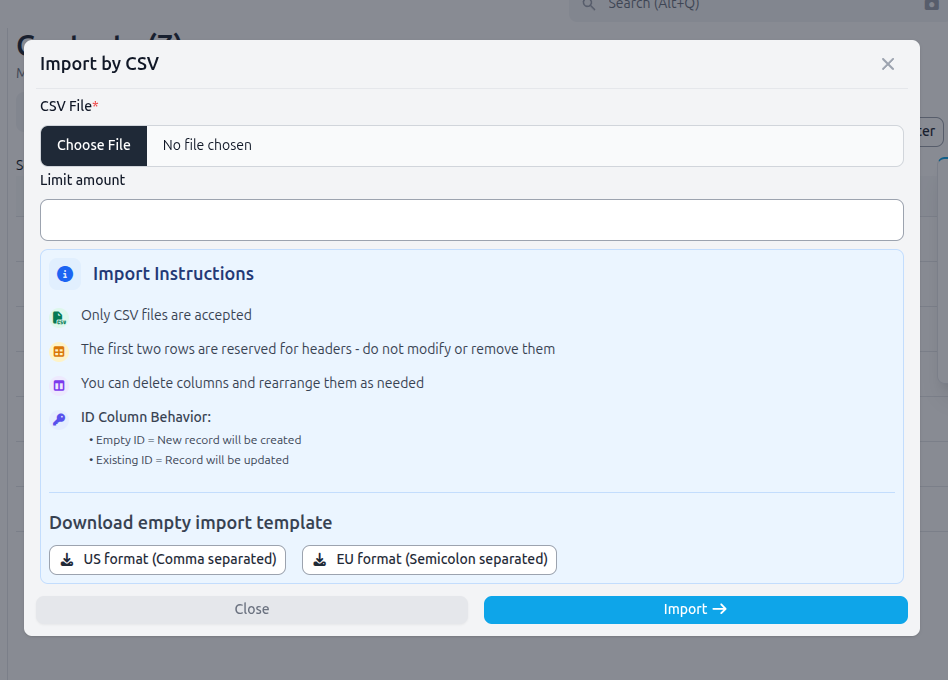
Import by CSV, including addresses, phone numbers, tax numbers and up to twenty custom attributes. Duplicates are matched on email or ID, so a corrected file can be re-imported without doubling anything.
And if the list is thirty years old and lives in four places, that isn't a CSV job. Hand it to us: data migration is a service, and the messy ones are the ones we expect.
Before you move your client list across.
Yes. Ring sizes for all ten fingers, wrist and neck, partner details, marriage and birth dates, and a language preference. They are real fields on the profile, not lines in a notes box, and the dates feed the birthday and anniversary lists on your dashboard.
Yes. Every sale and quote, all repairs, and all invoices, credit notes and transactions appear on the profile. "I bought a ring here last year" takes seconds, not a search through three systems.
Yes, by CSV, with duplicates matched on email or ID so re-imports are safe. For larger or messier datasets our data migration service does it for you.
Yes. Every phone number has a WhatsApp button, on the profile, the list and on orders. One click opens a chat with the number filled in, and on an order a short message is pre-filled in the client's language for you to review. Calling and SMS work the same way.
Every module writes back to the contact.
Bring your client list. We'll show you what's in it.
Most jewelers are surprised how many anniversaries are sitting in their own spreadsheet, unread. Book a demo and we'll import a sample of yours.